 MoviView
Your site on phone, tablet and desktop. In the same tab.
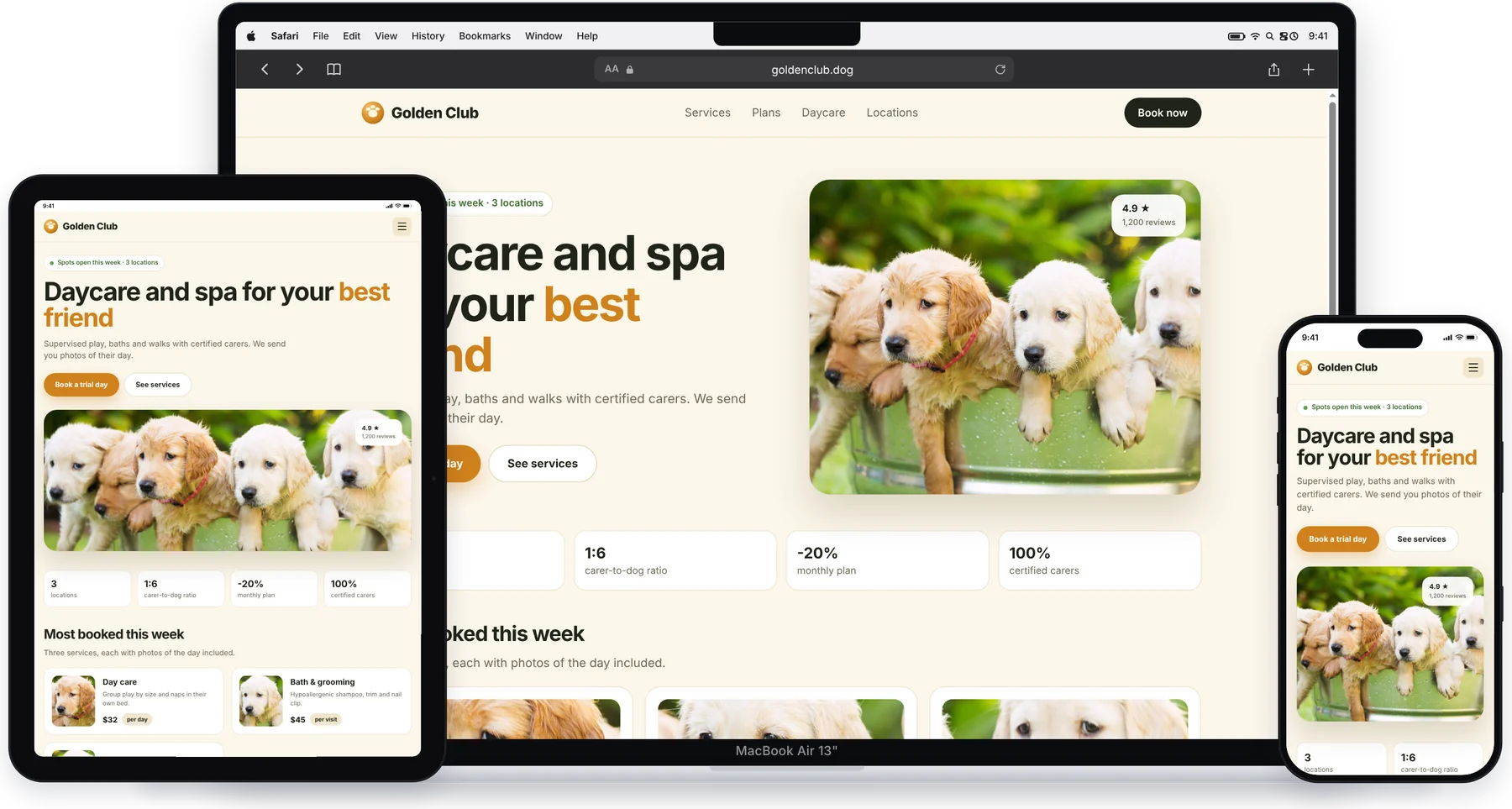
MoviView shows the page you're on inside a real iPhone, Android, iPad or Mac — one device or several side by side — with each site's real mobile version.
Free forever · PRO from US$5 a month
See it in action in 40 seconds.
MoviView on a real site: the free basics first, then the PRO tools.
Everything you need to test a responsive site.
No other tool to open, no leaving the tab: click the icon and you're done.
The real mobile version
Each device identifies itself as what it is. Sites with a separate mobile version (m.site.com or /mobile/) actually show it.
Side by side, in sync
Up to 6 devices at once, with synced scrolling and navigation. Phone + Tablet + Desktop in one click.
True-to-scale frames
Bezels, Dynamic Island, notch, camera and buttons for every model. MacBook with macOS and Safari, laptops with Windows and Chrome.
A free-form canvas
Drag to pan and pinch to zoom, just like Figma. Rotate to landscape and check Bootstrap, Tailwind and Elementor breakpoints.
Share-ready screenshots
Full-resolution PNG with the complete devices, on a white, gray, dark or transparent background.
Works where others don't
On sites that block iframes, on localhost and on staging servers. Everything runs in your browser.
For client presentations and team work.
Unlock 140+ models and the tools to show off your work.
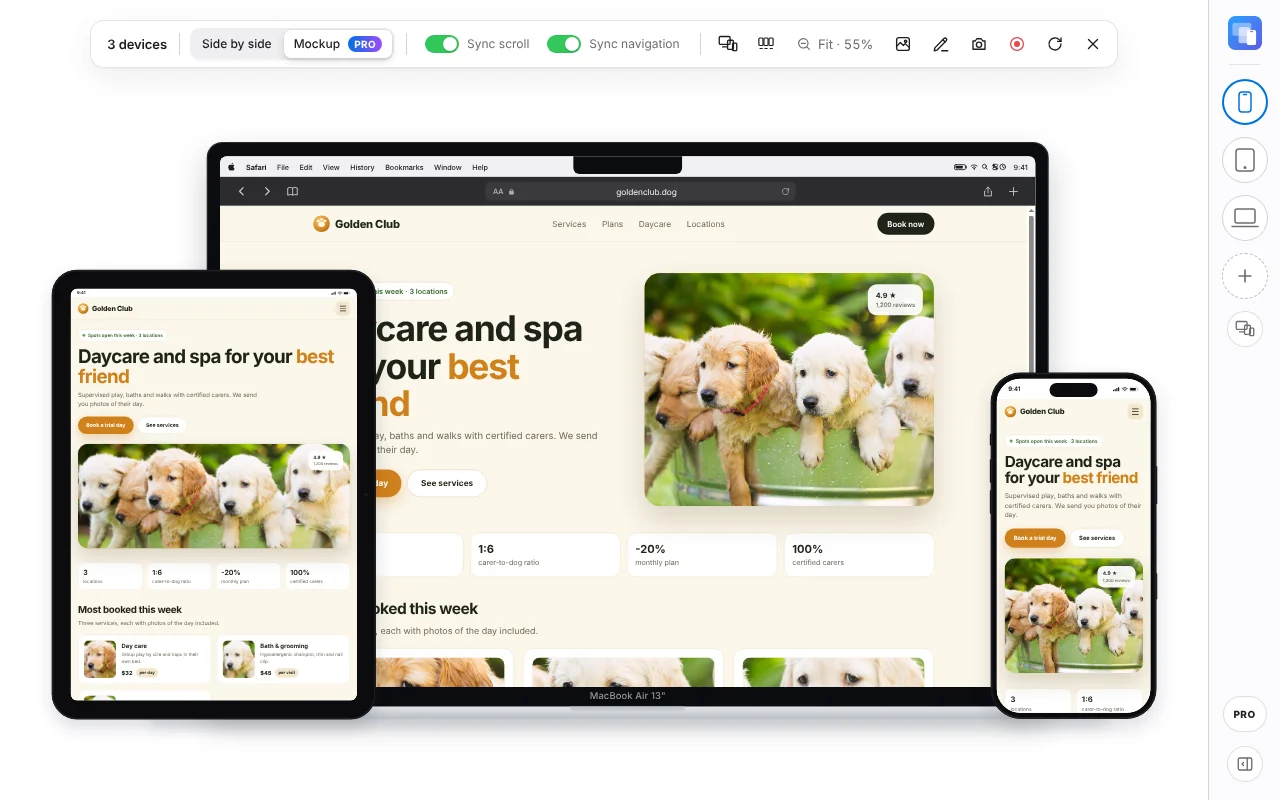
Mockup mode
Devices layered like an agency presentation. Export the image on a transparent background or any color you like.
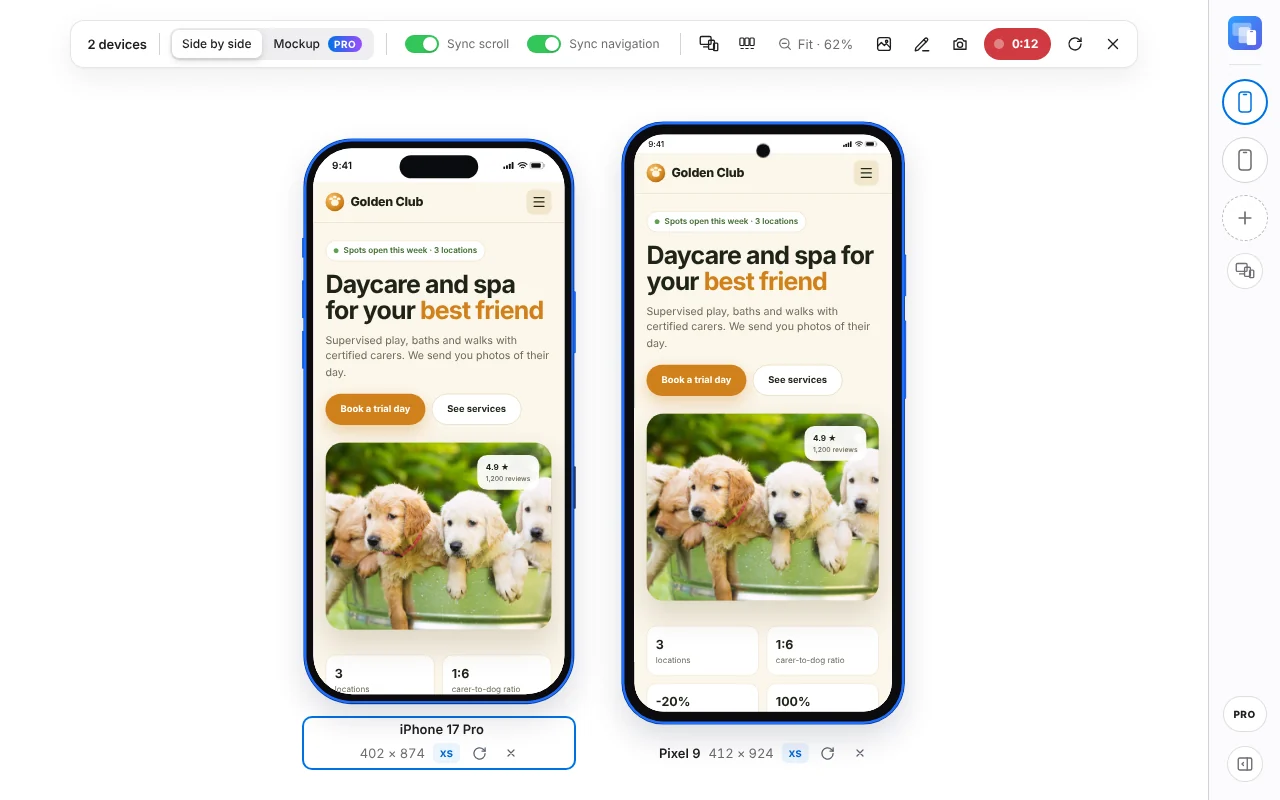
Record video
Record the devices to MP4, without bars or panels. On phones and tablets every tap leaves a ripple, like iOS “Show Touches”. Also download it as a light GIF for docs and chats.
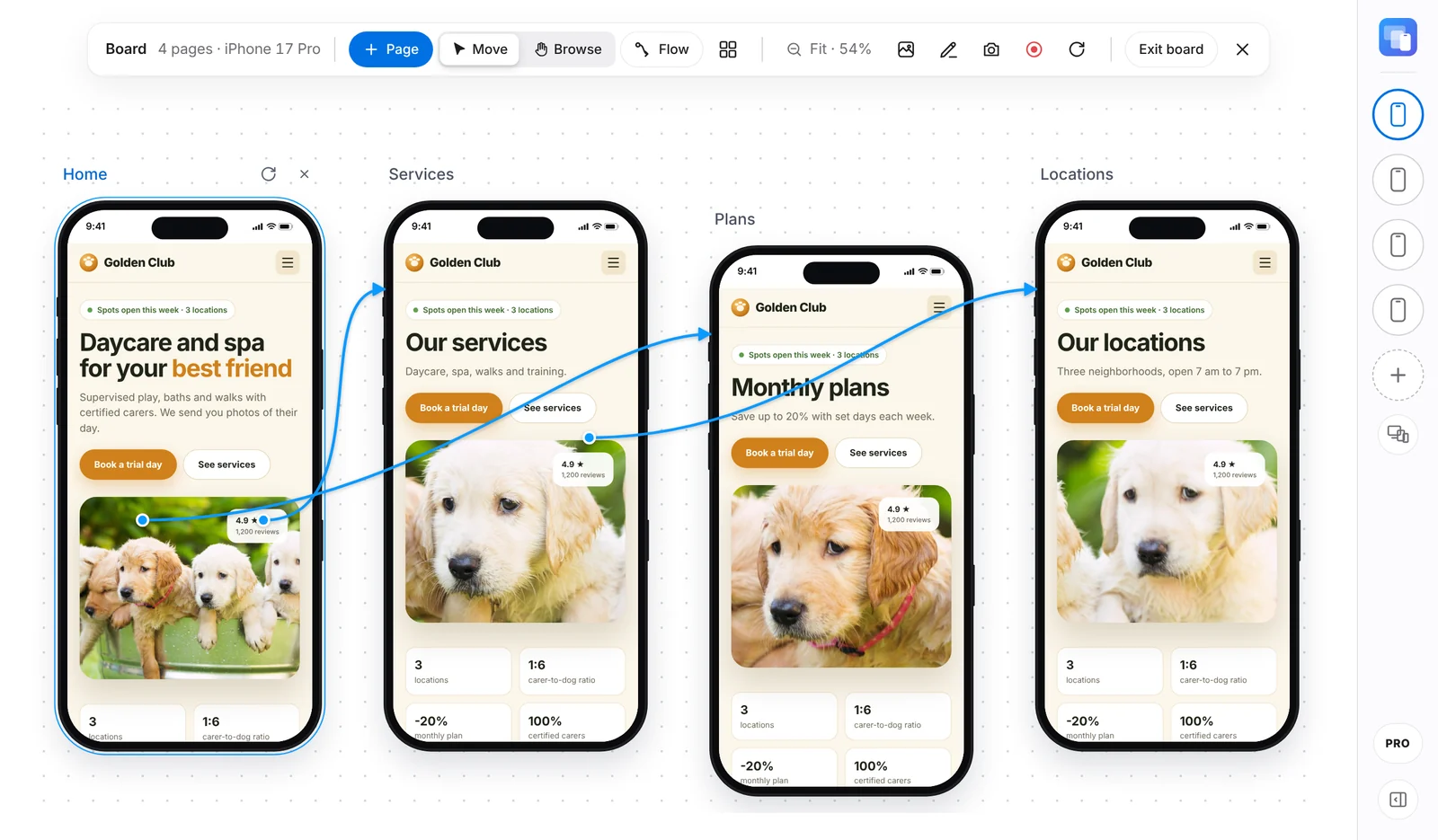
Figma-style page board
Home, Services, Contact… of the same site, on the same device.
- Screens move freely, with alignment guides
- Curved flow arrows between screens
- Each screen navigates on its own
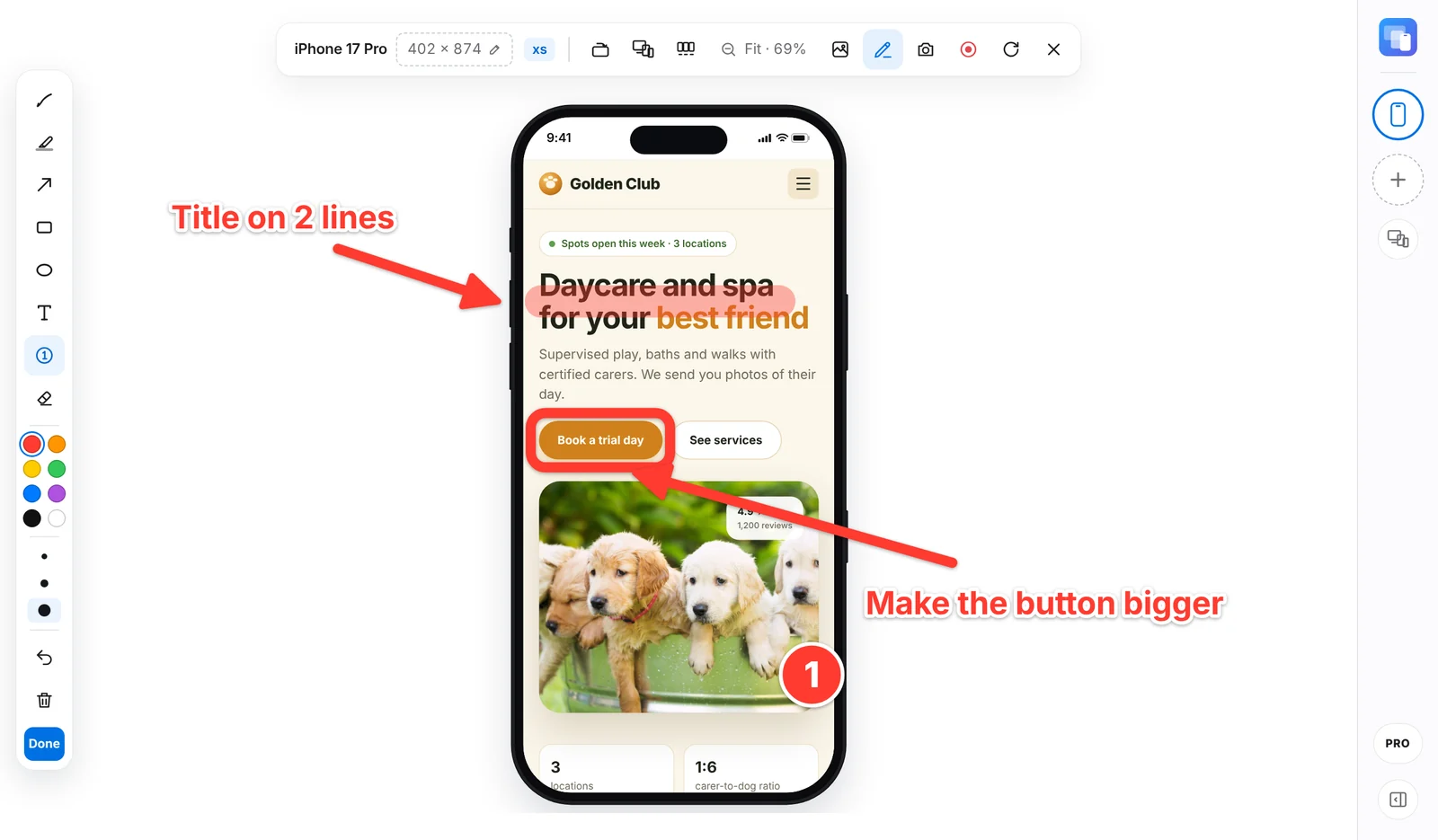
Annotate on top
Arrows, pen, highlighter, boxes, text and numbered steps to explain changes. Your notes show up in screenshots and videos.
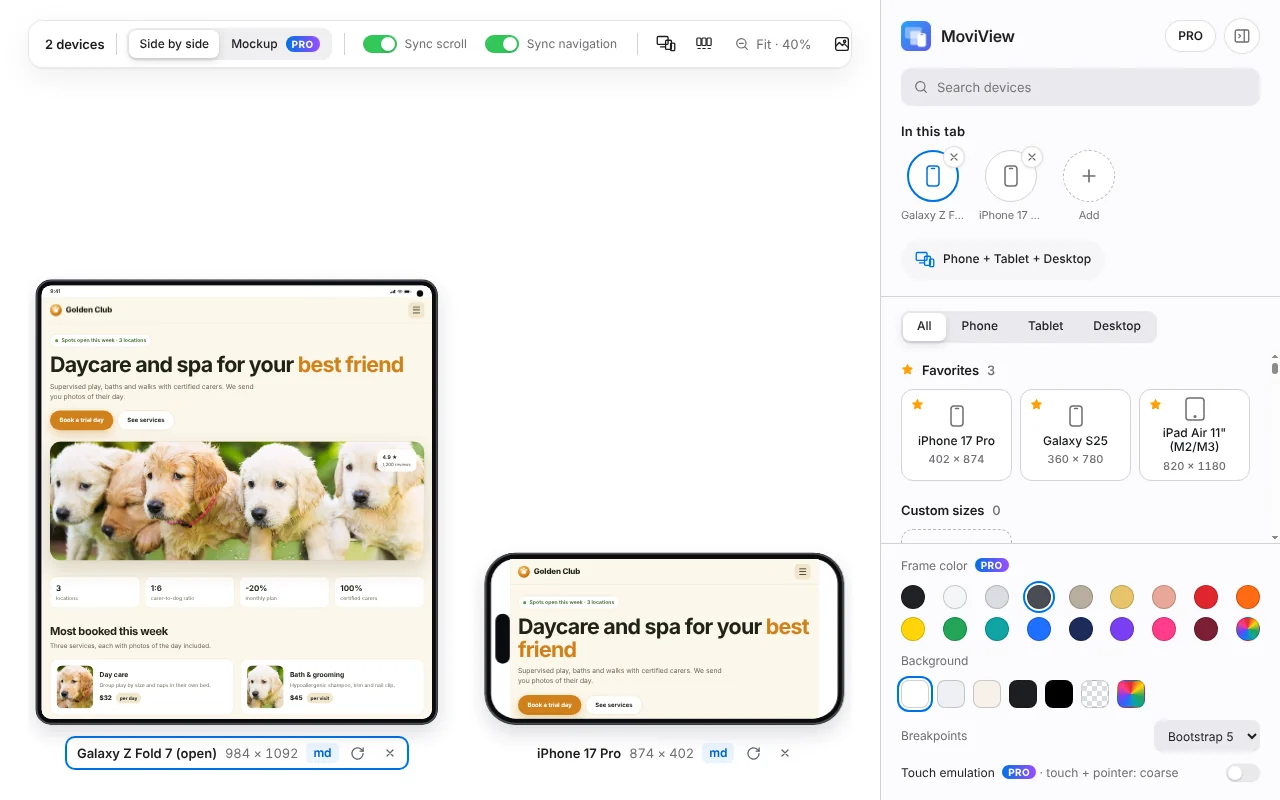
Every model
Every iPhone, Samsung Galaxy, Pixel, Xiaomi, Motorola, foldables, 37 tablets and desktops. Plus 17 frame colors, devices with your own dimensions, dark mode and slow connection (4G or 3G) to test your site.
Start free. Go PRO when you need it.
One PRO license works on 3 computers. Prices in US dollars.
Free
Test your sites on the most popular models.
- 9 models: iPhone, Galaxy, Pixel, iPad and MacBook
- Up to 3 devices at once
- Synced scrolling and navigation
- PNG screenshots on white, gray or dark
- Works with localhost
PRO Monthly
For a one-off project.
- Everything in Free
- 140+ models
- Up to 6 devices at once
- Video, Mockup, annotations and page board
- Transparent background and 17 frame colors
PRO Yearly
For people who work on websites every day.
- Everything in PRO Monthly
- 12 months for the price of 8
- Updates included
PRO Lifetime
Pay once, no renewals.
- Everything in PRO
- Yours forever, no subscription
- Updates included
- Visa
- Mastercard
- American Express
- Google Pay
- Apple Pay
- PayPal
Compare Free and PRO feature by feature →
Payments are processed by Lemon Squeezy, our merchant of record: they accept cards, PayPal, Apple Pay and Google Pay and work out your local taxes at checkout. PRO turns on by itself in your Chrome a few seconds after you pay, and your license key is also emailed to you. 14-day money-back guarantee: see the refund policy.
Questions? Here are the answers.
How do I buy and activate PRO?
Install MoviView for free from the Chrome Web Store, open the panel and click PRO. Pick a plan (monthly, yearly or lifetime) and pay with Lemon Squeezy. PRO turns on by itself in that Chrome within seconds. Your license key is also emailed to you, so you can activate it on another computer under PRO → Activate.
How many computers can I use my license on?
Up to 3. If you switch computers, deactivate it from the PRO button on the old one and activate it on the new one.
Can I cancel my subscription?
Yes, anytime, from the customer portal (the link is also in your purchase email). PRO stays active until the end of the period you've already paid for.
What if it's not for me?
You have 14 days from purchase to ask for a full refund, no questions asked. Email support@moviview.pro with your order number. Details in the refund policy.
Does MoviView see or store the pages I visit?
No. Everything runs in your browser: no analytics, ads or trackers, and screenshots and videos download straight to your computer. The only thing that leaves your device is your license key, to validate it with Lemon Squeezy. More in the privacy policy.
Why does Chrome say MoviView “started debugging this browser”?
It only appears when you compare phone and desktop at the same time: that's what lets each device get its own version of the site. It goes away when you leave device mode.
Does it work in other browsers?
It works in Google Chrome and in Chromium-based browsers that install extensions from the Chrome Web Store, such as Brave or Microsoft Edge.