 MoviView
Responsive design tester
Phone, tablet and desktop side by side in the tab you're already on. Scroll once and every device follows.
Free forever · PRO from US$5 a month
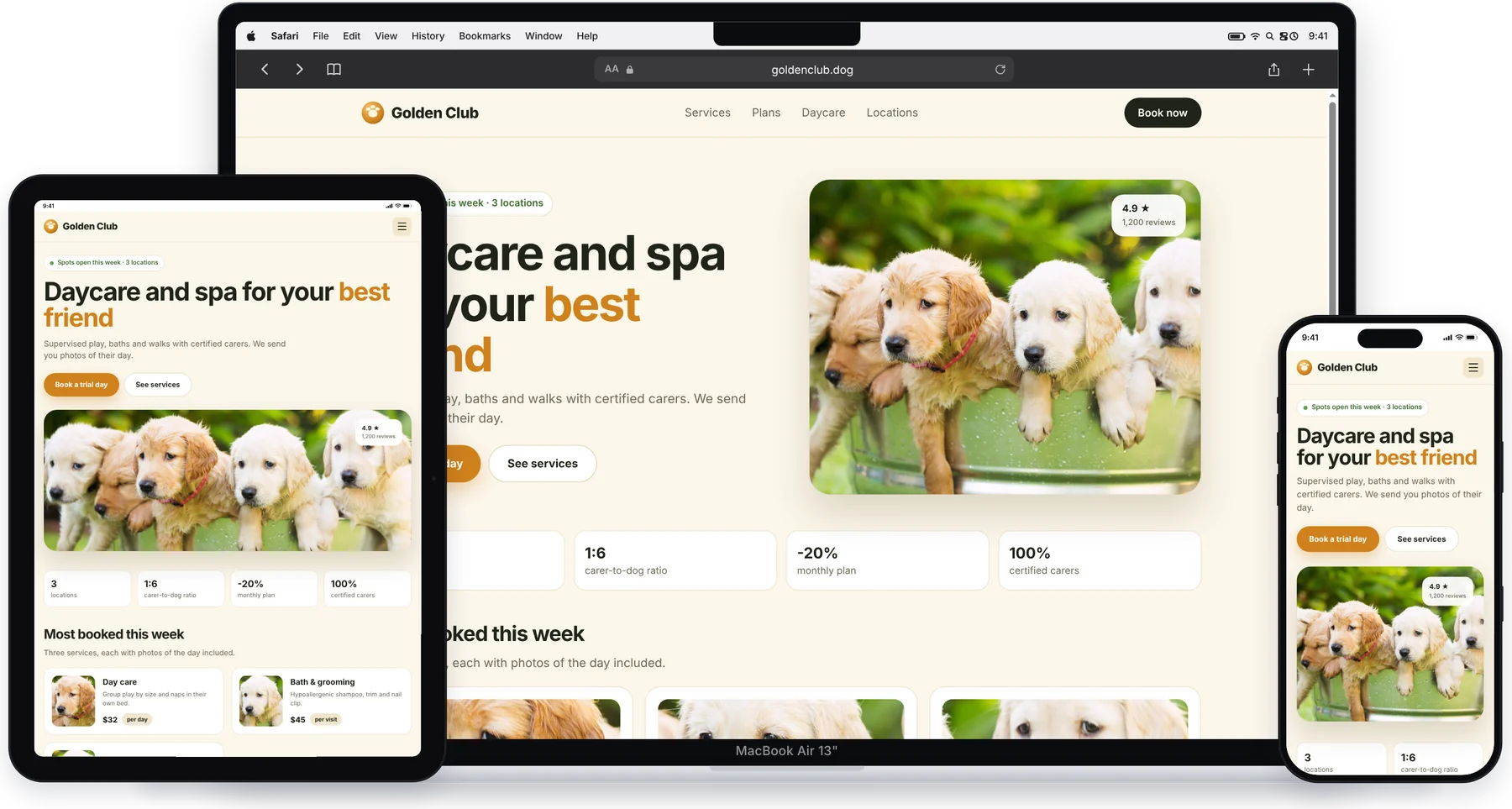
Check every breakpoint in one look
No resizing the window, no switching tabs.
Phone + Tablet + Desktop in one click
iPhone 17 Pro, iPad Air and MacBook Air side by side, instantly. With PRO you choose the three models.
Synced scrolling and navigation
Scroll or click a link on one device and the others follow, so you compare the same section everywhere.
Breakpoint labels
Each device shows which Bootstrap 5, Tailwind or Elementor breakpoint its width falls into.
A free-form canvas
Rotate to landscape, pan and zoom like in Figma and, with PRO, create devices with your own width and height.
The real mobile version
Phones and tablets identify themselves as iOS or Android, so sites with a separate mobile version show it.
Screenshots to share
One full-resolution PNG with all the devices, on white, gray, cream, dark or black. Transparent with PRO.
The breakpoints it knows
Pick a framework and every device shows its breakpoint name. Widths in CSS pixels.
Bootstrap 5
- xs0
- sm≥ 576
- md≥ 768
- lg≥ 992
- xl≥ 1200
- xxl≥ 1400
Tailwind
- base0
- sm≥ 640
- md≥ 768
- lg≥ 1024
- xl≥ 1280
- 2xl≥ 1536
Elementor
- mobile0
- tablet≥ 768
- desktop≥ 1025
How to use it
Three steps, less than a minute.
Install MoviView
Add it to Chrome from the Chrome Web Store. It's free and needs no account.
Open your site
Go to the page you want to check, online, on staging or on localhost, and click the MoviView icon or press Alt+Shift+V.
Click Phone + Tablet + Desktop
Or add the devices you want one by one, choose your framework's breakpoints and scroll.
Frequently asked questions
How is it different from Chrome DevTools device mode?
DevTools shows one screen size at a time. MoviView shows several devices at once, with their frames, synced scrolling and each device's own mobile identity, and you can take one screenshot of all of them.
Does it work with WordPress, Elementor, Shopify or Webflow?
Yes. It works with any website you can open in Chrome, whatever it's built with, including your local development server.
Is it free?
Yes. The free plan includes 9 popular models and up to 3 devices at once. PRO unlocks all 143 models, up to 6 devices, custom sizes, Mockup mode, annotations, the page board and video.